


Exploits Explained: 5 Unusual Authentication Bypass Techniques
An SRT researcher walks through five real authentication bypass techniques found across Synack engagements: a refresh token endpoint that issued tokens for any username, an SSO misconfiguration that leaked full page content behind a redirect, a CMS portlet exposing hidden functionality, a JWT validation gap, and a login flow defeated by an empty password.

Technical Summary
Exploits Explained
This roundup documents five distinct authentication bypass techniques an SRT researcher found across separate Synack engagements, spanning token issuance, SSO redirects, CMS portlet routing, JWT validation, and XML-based login parameters.
Each bypass stemmed from a business logic or configuration flaw rather than a cryptographic weakness, which is why automated scanners consistently missed them. Impact ranged from generating a valid authentication token for an arbitrary username to full unauthenticated access to internal applications and account takeover using an empty password value.
The common thread across all five findings is that authentication logic must be validated end to end, including how tokens are issued, how redirects are trusted, and how edge-case parameter values are handled.
Authentication bypass vulnerabilities are common flaws that exist in modern web applications—but they’re not always easy to find.
New authentication methods are working wonders to boost cybersecurity at many organizations. While tools like single sign-on (SSO) are often an improvement over old ways of logging users in, these technologies can still contain critical vulnerabilities. Whether it’s business logic errors or some other software flaw, it takes a keen eye to comb through all the complexity.
In this blog, I’ll cover five real-world authentication bypass techniques that I have found in the Synack Platform throughout my time as a member of the Synack Red Team.
Example #1 – Refresh Token Endpoint Misconfiguration
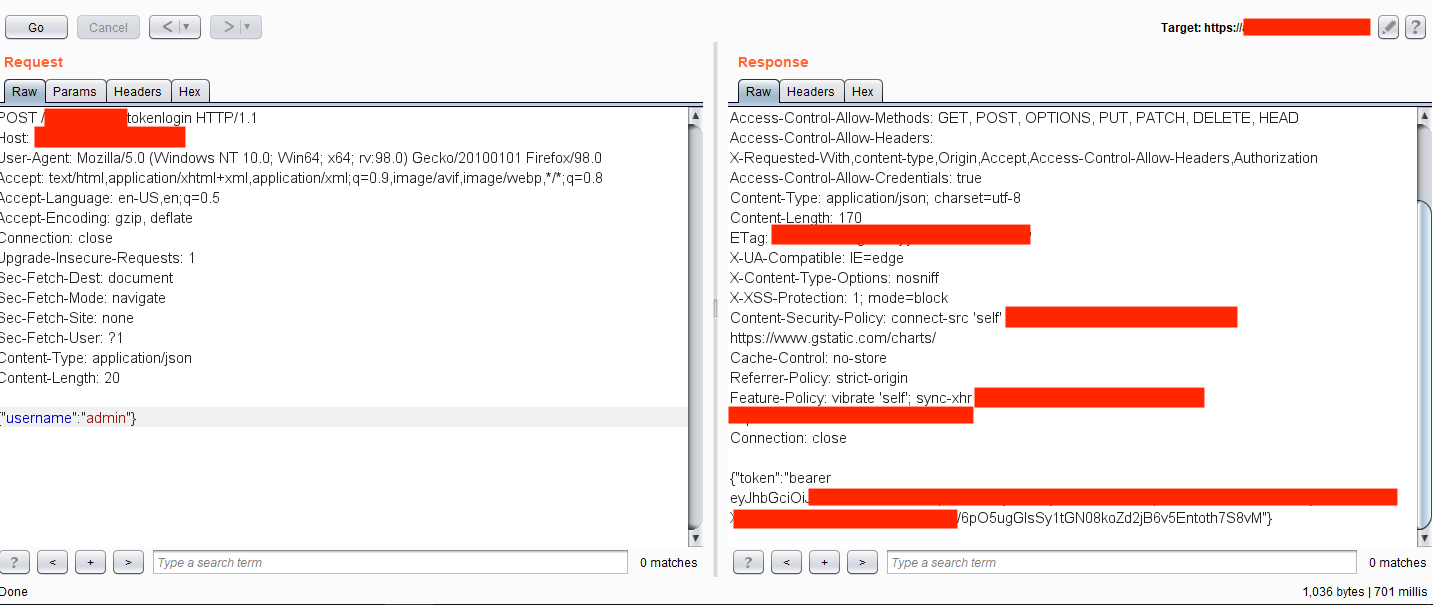
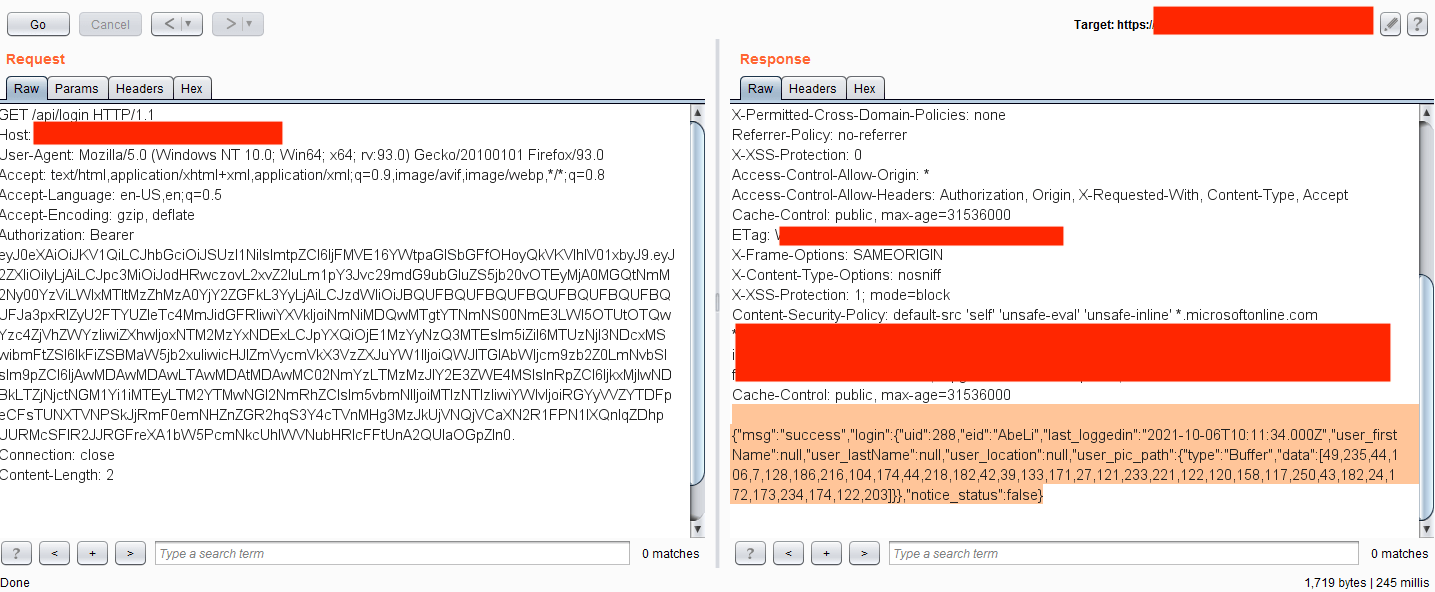
In this case, once a user logged into the application with valid credentials, it created a Bearer Authentication token used elsewhere in the application. This auth token expired after some time. Just before expiration, the application sent a request to the back-end server within the endpoint /refresh/tokenlogin containing the valid auth token in the headers and username parameter on the HTTP body section.
Further testing revealed that deleting Authorization header on the request and changing the username parameter on the HTTP body created a new valid token for the supplied username. Using this exploit, an attacker with an anonymous profile could generate an authentication token for any user by just supplying their username.
Example #2 – Improper SSO Configuration
Most applications use SSO systems because they are easier to securely manage than juggling many authentication portals. But simply using SSO does not automatically protect the system: Configurations to the SSO must be secured as well.
Here, one application was using the Microsoft SSO system for authentication. When visiting the internal.redacted.com URL, the web browser made a redirect to the SSO system:
On first sight, it seemed secure, but analyzing the back-end requests showed the application returned an unusually large content-length (over 40,000 bytes!) on the redirection response.
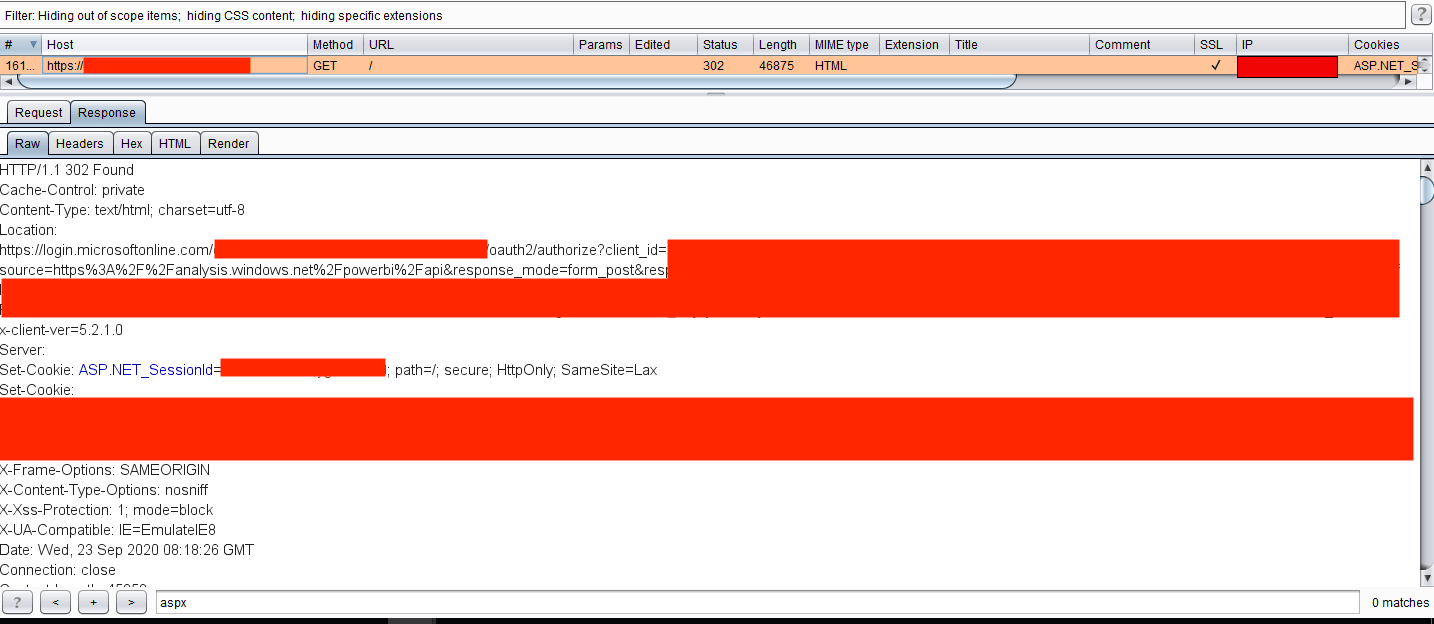
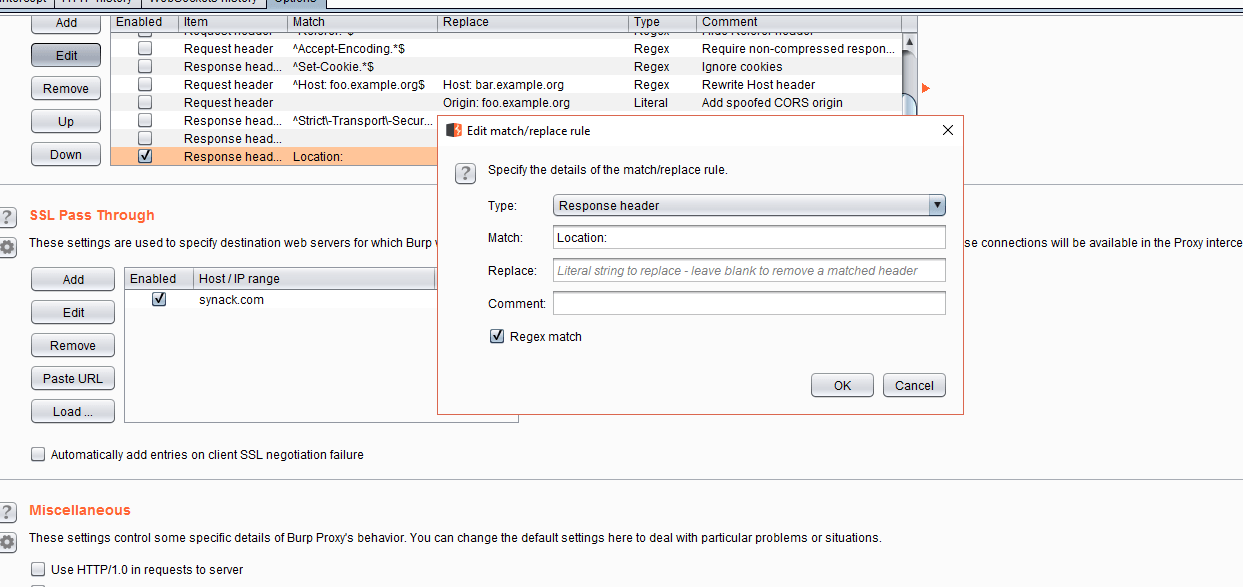
Why would an application do this? Well, it was misconfigured. The application was leaking its internal responses to every request while sending the user to the redirection to the SSO. So, it was possible to tamper the responses and change the 302 Found header to 200 OK and delete the entire Location header, giving access to the whole application.
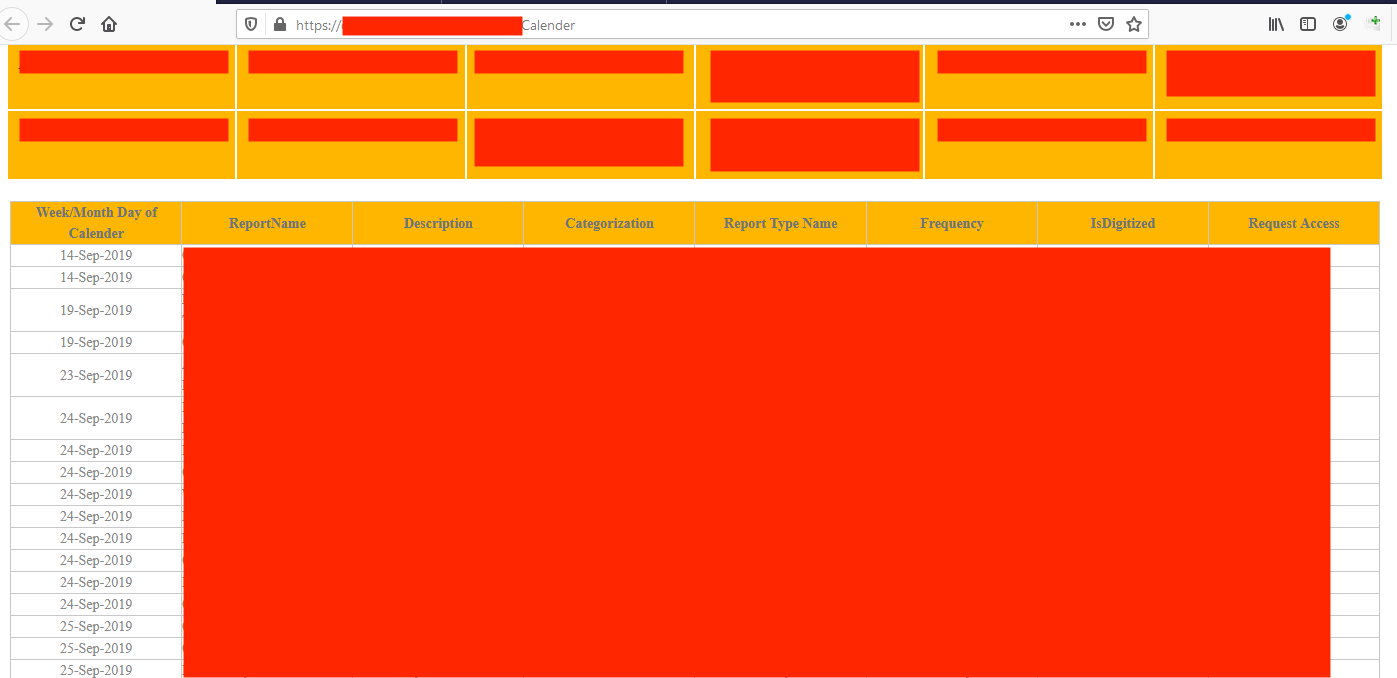
Also, it was possible to make this process automatic by adding Match & Replace rules in Burp Suite to delete the header directly and change the values automatically.
Example #3 – CMS Based Access Problems
Content management systems (CMS) like WordPress, Drupal and Hubspot need to be securely configured as well, lest they introduce vulnerabilities in your organization.
One popular CMS platform, Liferay, was used in an internal application in one case I examined. The application only had a single login page accessible without authentication, and all other pages were restricted on the application UI.
For those not familiar with Liferay, the CMS uses portlets for application workflow, which have a parameter as p_p_id within numeric numbers. For that application, it was possible to access the login portlet by changing the parameter to value 58. On the normal login page, only the login form was accessible. However, by accessing the portlet directly, it was possible to reach the Create Account functionality, which then allowed self-registration to access internal applications without proper authorization.
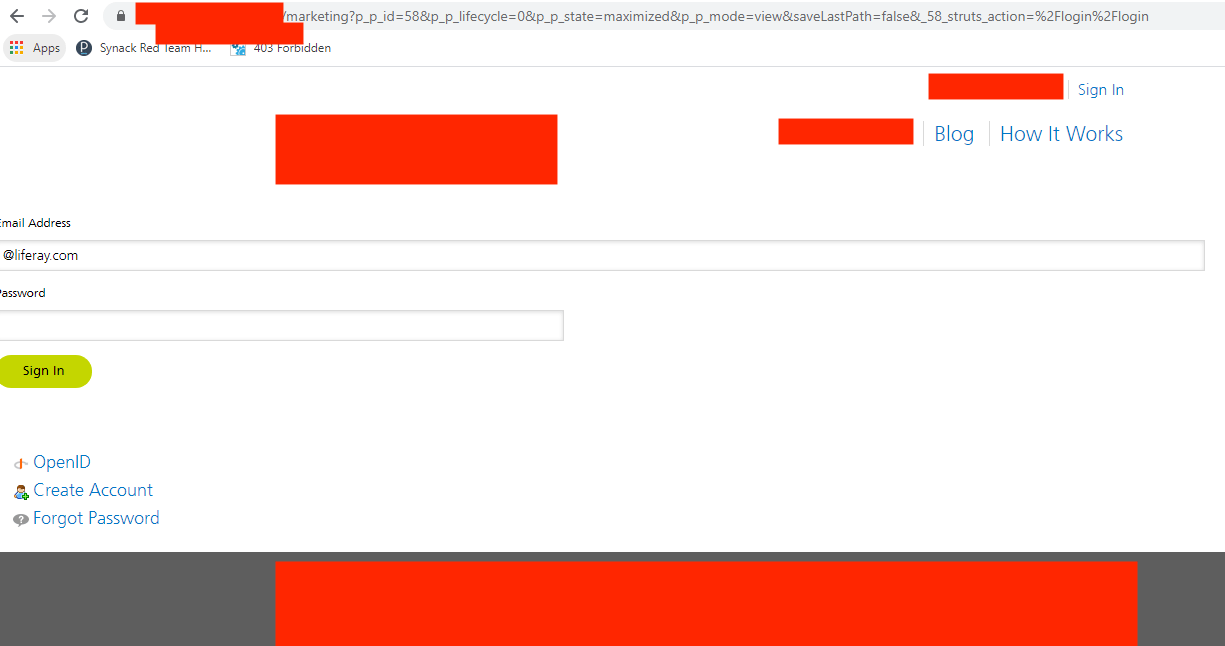
Please note that while Liferay used this workflow before, its latest version uses portlet names instead of numeric ids. Still, it is possible to access other portlets by changing names as well.
Example #4 – Usage of Example JWT Tokens
JWT tokens, or JSON web tokens, are popular on new web applications. But while they have a secure mechanism by default, back-end server configuration should be secured, too.
I worked on an assignment where SSO authentication was used for their internal applications. When visited directly, the application redirected the user to the Microsoft SSO web page. So far, so good.
However, some JS files were accessible without authentication. Testing revealed that the application used JWT tokens that were sent via the Microsoft SSO system after a secure login. On the back-end mechanism, there was a security misconfiguration that didn’t check if the JWT token was generated for that specific application–instead, it accepted any JWT token that had a valid signature. So, using an example JWT token from Microsoft’s website:
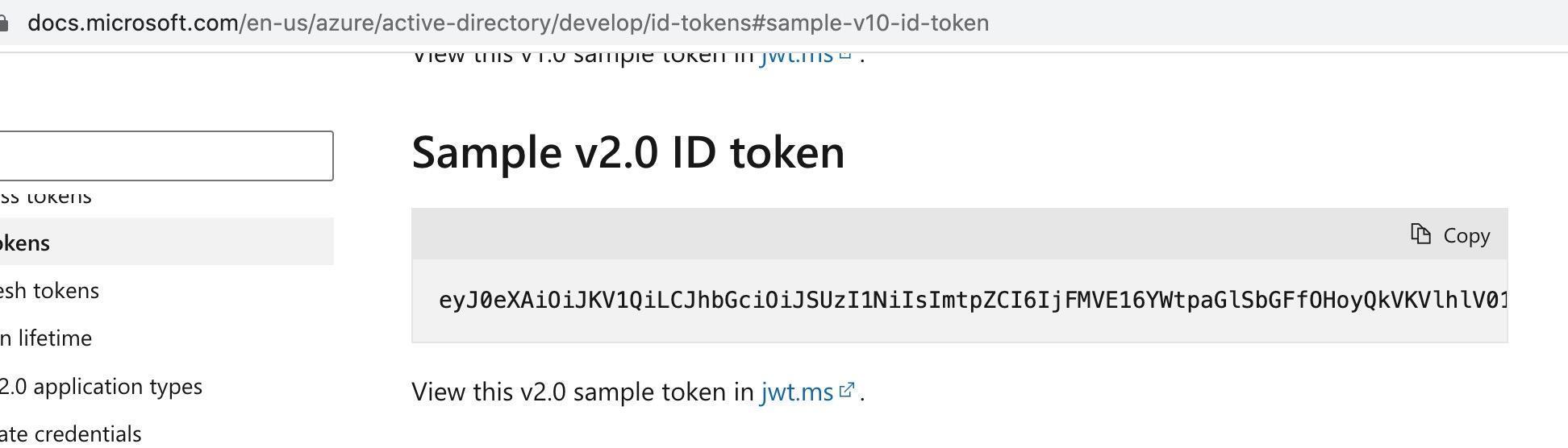
Within generic values:
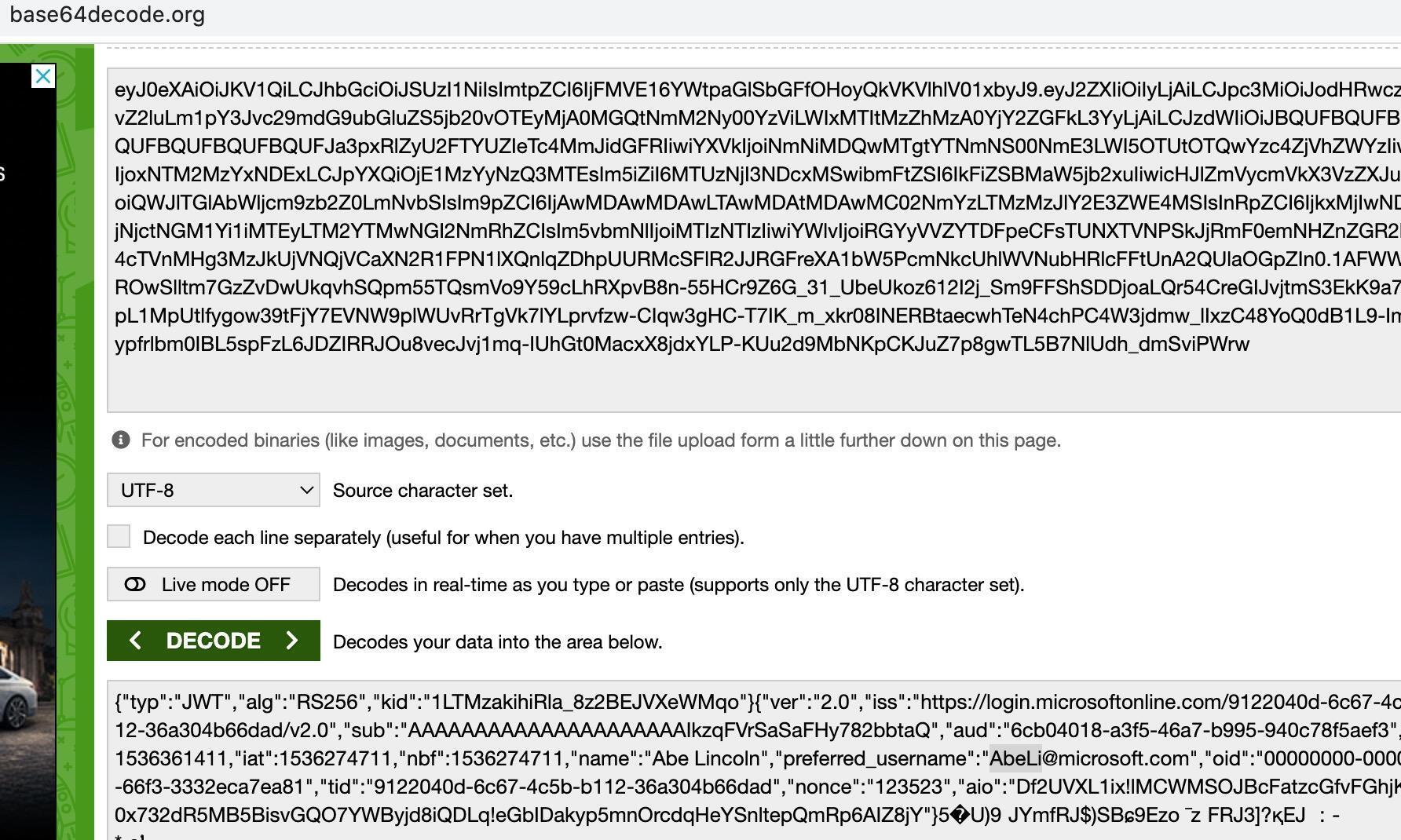
It was possible to access the internal endpoints, leaking the company data.
Example #5 – Changing Authentication Type to Null
In this instance, an application was sent all requests on the HTTP post data via base64 encoded XML requests. On the login mechanism, it sent the username as parameter alias and password as scode. The value inside the scode parameter was hashed. A quick analysis showed it used an md5 value of the supplied password value. There was another interesting sign in the request: scode had an attribute as type valued with 2.
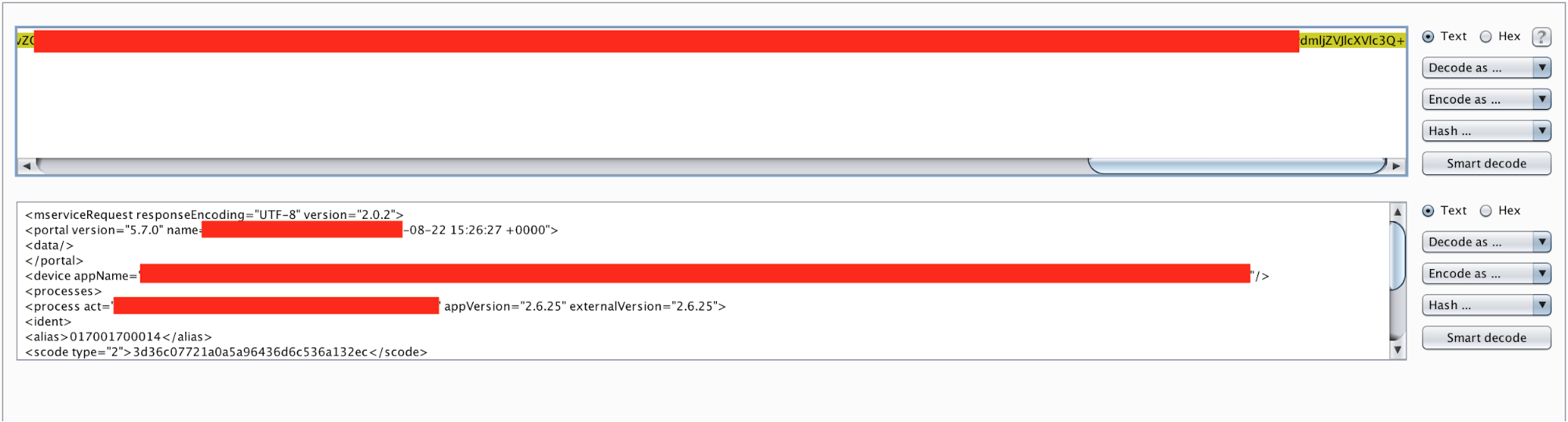
I tried assigning the value to 1, which would accept the cleartext password. It worked! So, brute force within cleartext values was possible. Not a big deal, but it was a sign I was on the right path. What about assigning it to the null values? Or other values such as -1, 0 or 9999999999? Most of them returned an error code except value 0. I tried several things with the attribute 0 but had no luck until I sent the password value as an empty value.
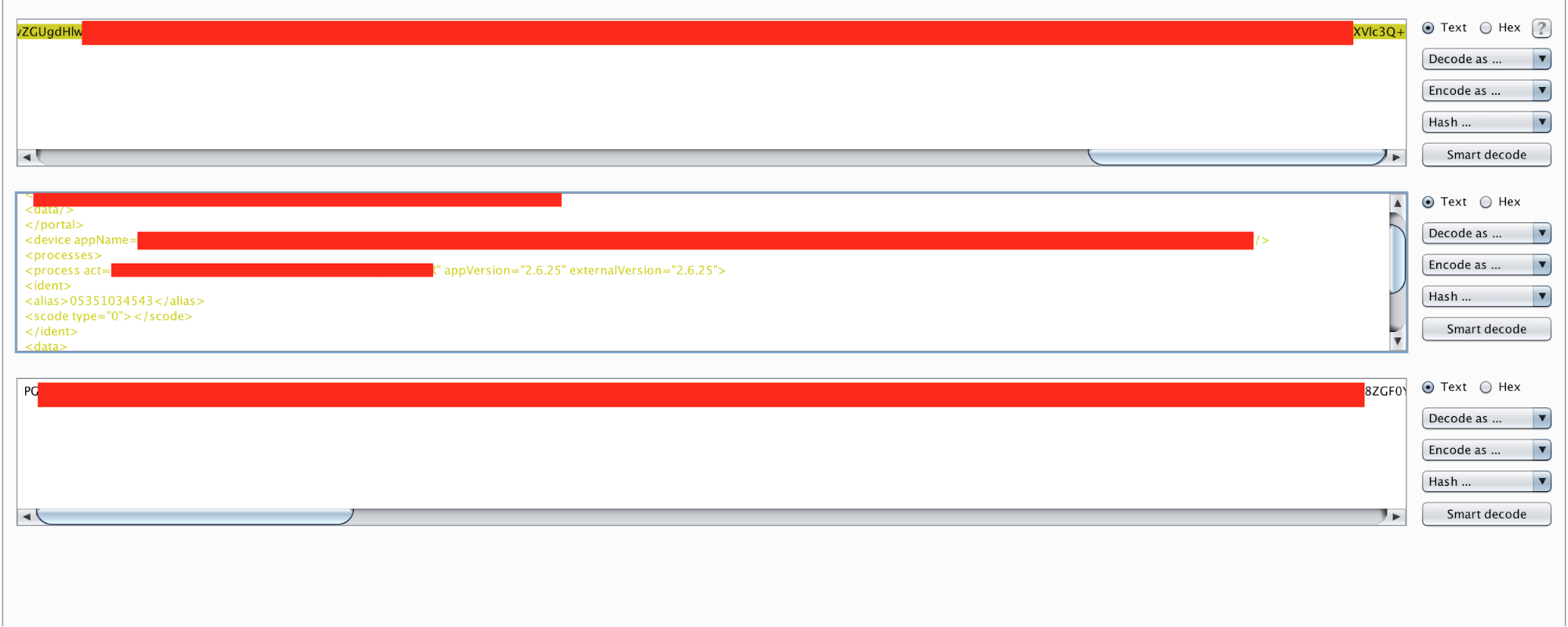
I realized it was possible to access any account by simply supplying the usernames and empty passwords. It turned out to be quite a big bug.
Conclusion
Complex authentication mechanisms can fall prey to undiscovered attack vectors, especially on applications prone to business logic flaws. Because automatic scanners mostly fail to key into these kinds of vulnerabilities, human power is still needed to find them. Given the complexity of modern software environments, no single security researcher can pick up on all possible vulnerabilities or attack vectors. On-demand security testing with a vetted community of researchers is the best way to combine everyone’s unique knowledge to find the vulnerabilities that matter.
Thanks for reading. To learn more about the global community of researchers uncovering vulnerabilities like this, check out the Synack Red Team. Be sure to follow Synack and the Synack Red Team on LinkedIn for upcoming blogs in the Exploits Explained series.
Frequently Asked Questions
Each bypass relied on a business logic or configuration flaw rather than a cryptographic weakness or a known CVE, such as trusting a client-supplied username on a token refresh call or accepting any validly signed JWT regardless of audience. Automated scanners are built to match known signatures and patterns, so logic flaws like these typically require a human tester exploring how the application actually behaves under unexpected input.
The application hashed passwords into a scode parameter with a type attribute controlling how that value was interpreted, and setting the type to 0 while leaving the password value empty caused the backend to accept the login without checking credentials at all. Any username paired with that empty, type-0 value granted access to the corresponding account.
Validate authentication decisions entirely on the server side, including token issuance, SSO redirect handling, and every parameter type or edge case a client can send, rather than trusting any client-supplied value or default. Regularly testing authentication flows with unexpected inputs, such as null, empty, or altered type values, helps catch these logic flaws before an attacker finds them.
What would 1,500
elite hackers find in
your stack?
The Synack Red Team and Sara AI Pentesting work side by side to test your environment and find vulnerabilities that matter.