

One Hotkey to Own Them All: Stored XSS Hidden in a Shared Shortcut File
A Synack Red Team researcher found that a harmless-looking "PF Keys" label in a command-driven terminal was rendered straight into the page as HTML. The payload was stored server-side, fired automatically at every login, and could ride along in a shared shortcut file to reach other agents. The retest shows why output encoding at the sink and server-side validation are two separate fixes.

Technical Summary
Exploits Explained
Vulnerability type: Stored cross-site scripting (CWE-79)
Where it lived: The label field of the PF Keys editor. The value is saved to the backend through preference sync and rendered into the function key bar with innerHTML, so HTML and event handlers execute without being escaped.
How it escalates: The function key bar renders automatically at login, so the payload runs on every session inside the authenticated origin. Because the app keeps its session bearer token in sessionStorage, injected script can read it. The built-in .pfkey Import feature lets a crafted file deliver the payload to other users, turning a self-XSS into cross-user XSS.
Fix and retest: The client moved the defense to the renderer, so markup now displays as plain text. The server still stores raw markup, so server-side validation remains a recommended second control.
Recommended remediation: Encode output at every sink, validate on the server, treat imported config as untrusted input, and add a Content Security Policy that blocks inline event handlers.
The Feature Nobody Calls an Input
Every bug hunter eventually learns to distrust the convenient. The more a feature exists to make someone’s day easier, the less anyone treats it as an attack surface. That’s pretty much where this one was hiding.
I was working through a dense, command-driven web app a specialized workforce lives in all day. Tucked into the toolbar was a “PF Keys” panel. These are programmable function keys that map F1 to F12 onto the commands you’d otherwise retype a hundred times a shift. Pure muscle memory, and the sort of thing you scroll straight past on an engagement.
Then I noticed something. The little label you give each key gets painted back into the function key bar across the top of the screen. So, I wondered how it got there. As text, or as HTML?
Testing the PF Key Label for Unescaped HTML
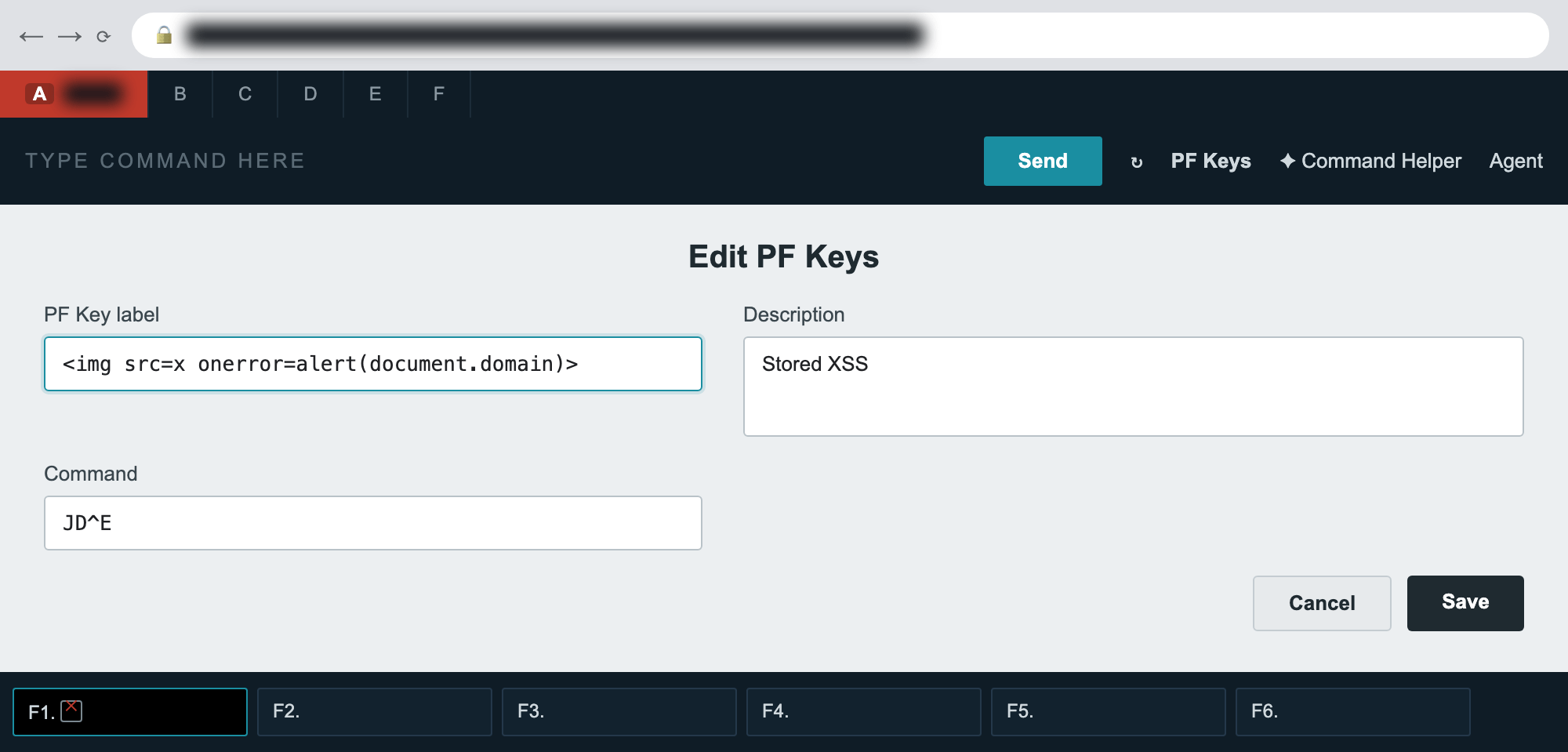
I opened the PF Keys editor, selected F1, and set the label to the least subtle thing I know:
<img src=x onerror=alert(document.domain)>I added a throwaway command, hit Save, and the app synced my preferences to its backend. The function key bar redrew, and there was the alert, printing the application’s own origin back at me. The label wasn’t being escaped. It was going straight into the page’s innerHTML, onerror handler and all.
On its own that’s already a stored XSS. But the part that follows is what made it interesting.
Auto-Rendering Turns Stored XSS Into a Persistent Threat
I logged out. I logged back in. Before I opened a single panel, before I typed a single command, the alert fired again.
That’s the line between a bug and a real problem. The function key bar renders automatically when the application starts, so the payload never waits for a victim to go looking for it. It runs the moment the page loads, inside the authenticated origin, on every session, until someone deletes that key.
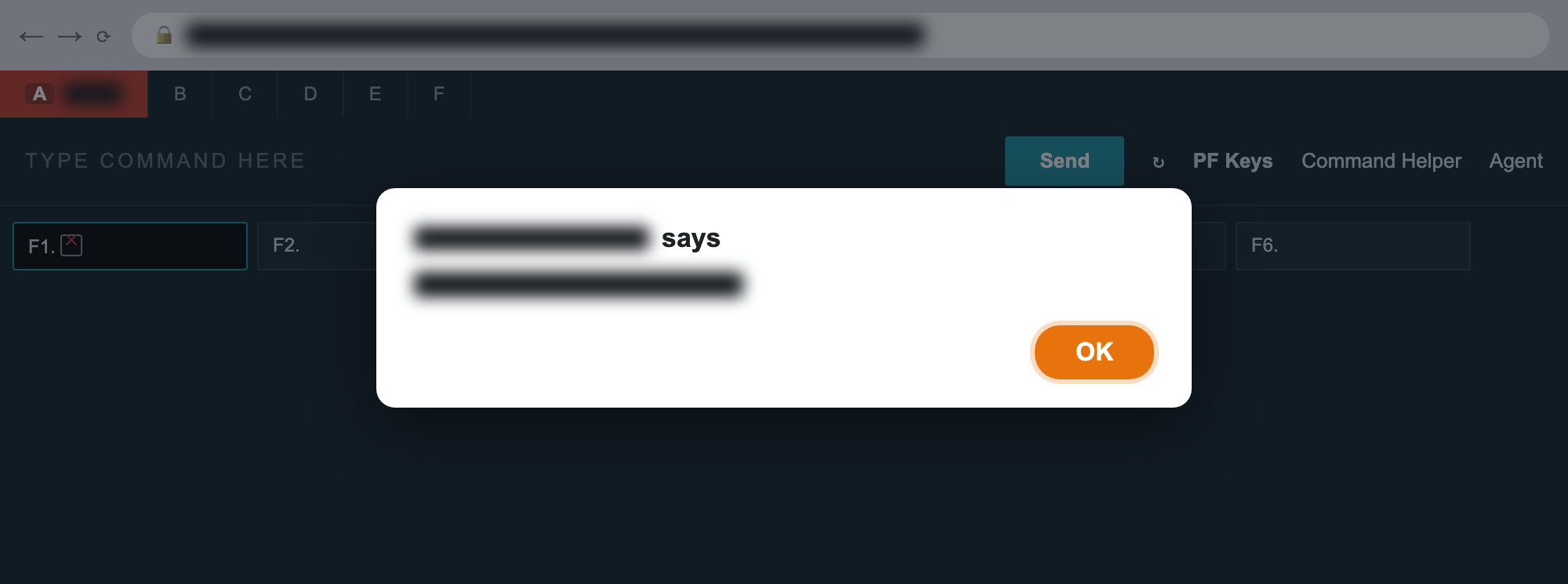
alert(document.domain) is the live client host and is blurred here.And because the script runs in the app’s own origin, it runs with the app’s own reach. The application keeps its session bearer token in sessionStorage and uses it to authenticate calls to the backend API gateway, the same gateway that pulls up bookings, customer PII, and transactions. A script in that origin can read that token. So, this isn’t really a popup. It’s a way into the agent’s live session.
Import and Export Turn Self-XSS Into Cross-User XSS
Here’s the detail that turned my head. The panel has Import and Export buttons. Agencies build a “standard” set of shortcuts and pass the file around, so every agent’s terminal behaves the same way. It’s a genuinely useful feature, and it’s also a delivery mechanism.
A .pfkey file is just plain text:
pfkey.0.label=<img src=x onerror=alert(document.domain)>
pfkey.0.desc=Display agent duty
pfkey.0.command=JD
Craft that once, name it something friendly like “agency-standard,” and hand it to a colleague. They click Import, then Browse, then Upload, which is a completely ordinary thing to do on their first day, and the script runs in their session. There’s no phishing link and no injected request. The payload rides in on a file that people are actively encouraged to share. One hotkey file to own them all.
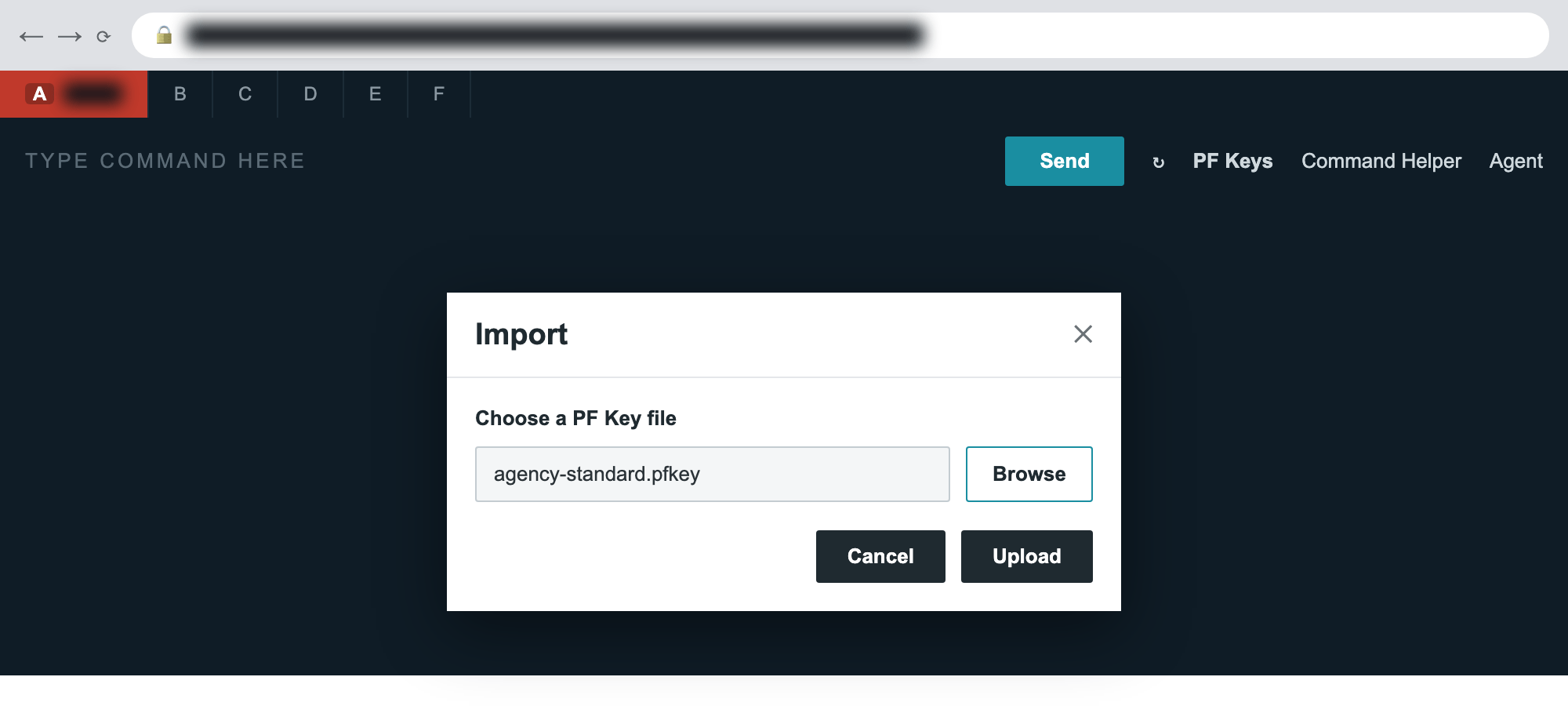
.pfkey file. This is the path that turns a self-XSS into a cross-agent one.What the Fix Taught Me
The client shipped a fix, and I got to retest it, which turned out to be the most useful part of the whole thing.
The popup was gone. Raw markup in the label now shows up as plain text, and no <img> element is ever created. Good. But then I pushed a raw <img src=x onerror=...> straight to the backend with a crafted authenticated request, logged out, logged back in, and the server had stored my angle brackets exactly as I sent them. The fix moved the defense to the renderer, which is the right place, but the server still accepts the markup. Every new place that displays that field has to remember to encode it.
That’s the correct fix. You encode at the sink, where the data actually becomes part of the page, and it holds even when bad data reaches storage through some other door. But it’s worth saying plainly that “we fixed the XSS” and “we validate our input” are two different claims, and you really want both.
Closing the Door
If your application lets users save and later render their own display values, and most applications do, these are the ones I wouldn’t skip:
1. Encode the output at every sink. Render user-controlled labels with textContent or an escaped binding, and never by assigning to innerHTML. This is the control that actually kills the bug.
2. Validate on the server as well. Client-side stripping is cosmetic and easy to bypass with a direct API call, so reject or encode markup where it gets stored.
3. Treat imported config as untrusted input. A file format your users pass around is an attacker delivery channel, so apply the same encoding to every field an import can set.
4. Add a Content Security Policy. One that forbids inline event handlers takes a lot of the sting out of this whole class of bug, even when a payload slips through.
Why the Boring Fields Deserve Testing
The bug itself wasn’t clever. <img src=x onerror=alert(1)> is the first thing anyone tries. What made it worth writing up was where it lived. A convenience feature nobody thinks of as user input, that renders itself automatically, in a high-value authenticated origin, with a built-in way to ship the payload to the next person.
Test the boring fields. They’re the ones nobody is watching.
Found on a Synack engagement. Reported, triaged, remediated, and retested through the SRT program.
Thanks for reading. To learn more about the global community of researchers uncovering vulnerabilities like this, check out the Synack Red Team and apply today. Be sure to follow Synack and the Synack Red Team on LinkedIn for upcoming blogs in the Exploits Explained series.
Frequently Asked Questions
Stored XSS happens when an application saves attacker-controlled input and later renders it as HTML or script in other pages or sessions. Unlike reflected XSS, the payload persists on the server and runs each time the affected page loads, with no malicious link needed.
The vulnerable value was a PF Key label, which the application renders automatically when it starts. The script ran at every login inside the authenticated origin, before the user did anything. The app also keeps its session bearer token in sessionStorage, which any script running in that origin can read.
The PF Keys panel lets agents import and export .pfkey files so teams can standardize their shortcuts. A crafted file can carry the payload in a field such as the label. When a colleague imports it, the script runs in their session. That turns a self-XSS into a cross-user attack without a phishing link.
What would 1,500
elite hackers find in
your stack?
The Synack Red Team and Sara AI Pentesting work side by side to test your environment and find vulnerabilities that matter.