

From OSINT to Exploit: Uncovering Auth Bypass and Leaked Credentials
A Synack Red Team member discovered a cross-site scripting vulnerability in SAP Concur Open.

Introduction
How OSINT, reverse engineering, and insecure auth design revealed a wide attack surface
During a recent host assessment as part of a Synack Red Team engagement, I uncovered multiple critical security flaws across mobile, web, and API surfaces. This is a deep dive into how I used OSINT, APK reversing, JavaScript code analysis, and some creative endpoint fuzzing to uncover vulnerabilities like auth bypass, default credentials, JWT signature flaws, and token leaks—all within the same organization’s ecosystem.
OSINT: Digging for Clues
Using Open Source Intelligence to Find Entry Points
It started with a subdomain: project-management.example.com. From that, I assumed the organization had a project management system or product — possibly with a mobile companion. I began Googling combinations like:
- “project management” “example”
- project management app example site:facebook.com
Eventually, I stumbled upon an old Facebook post from the official company page. It introduced a product with hashtags like #Survey, #ProjectManagement, #CompanyName, and #Country, along with a demo video of their Android application in action.
This was gold.
I checked the Play Store — nothing. The app had likely been deprecated or pulled offline. So I moved to plan B: APK hunting.
I started exploring third-party APK repositories like APKPure, APKCombo, and others. Sure enough, I found multiple versions of the same app archived there — all publicly downloadable.
That was the entry point. From just one Facebook post and a bit of targeted search, I had a deprecated mobile app that likely shared backend infrastructure with the live environment.
APK Reversing: Extracting Endpoints
Analyzing a Deprecated Flutter App to Discover API Paths
The APK I found was built using Flutter, which instantly made things a bit trickier.
Coming from a web and API security background, I wasn’t super familiar with reversing native binaries like libapp.so. I knew it likely held core logic and strings, but I didn’t have the tools or background (yet) to dive into native decompilation — and to be honest, I wasn’t even sure if it was possible to cleanly reverse it at that point.
So instead, I turned to what I did know: decompiling the Java/Kotlin classes using JADX-GUI.
While Flutter apps offload most logic into native code, there are still traceable artifacts in the Java layer — especially things like:
- Initial API requests
- Debug logs
- Package structure
- Intent filters or deep links
Using JADX, I was able to browse through the decompiled classes and find base URLs, API endpoints, and some initial networking logic that the app used to authenticate users and fetch data. That was the first big breakthrough — I now had a list of API routes to test against the live infrastructure.
Default Credentials & Broken Authentication
Guessing Login Endpoints and Accessing Admin Panels
Inside the decompiled APK, I found a file at:
com/survey/inspectiontool/data/remote/SurveyApi
There, a hardcoded API endpoint stood out:
/surveyv2/api/ToolsAPI/api/1.2/GetCurrentUser
That told me two things:
- The app was calling a versioned API under /surveyv2/api/ToolsAPI/api/1.2/
- There’s a decent chance other auth-related endpoints exist in the same path
So I took a guess and tried /surveyv2/api/ToolsAPI/api/1.2/authenticate. Yes—it was there. I tried admin:admin using very guessable parameters like username and password. It worked. I got a valid token and used it against other endpoints.
But wait—turns out I could access many API endpoints without even using the token. One such endpoint was an ACPV (Access Control Policy Violation)—it responded differently when I added specific parameters, revealing sensitive data or behaviors depending on request context.
VirusTotal Pivot: Finding Another App
Pivoting Through APK Metadata to Discover More Apps
After reporting the initial issues, I still wasn’t fully satisfied. The bugs I had were impactful, but I couldn’t demonstrate deeper access since the program didn’t allow vulnerability chaining — which meant I had to find new entry points or more isolated flaws.
Google and GitHub weren’t much help at this point. So I switched tactics and turned to VirusTotal, targeting the domain I knew was in use:
https://www.virustotal.com/gui/domain/project-management.example.com/relations
Under the “Communicating Files” section, I noticed an Android APK that had reached out to this domain at some point. Clicking into it, I checked the “Details” tab and scrolled to the Android Info section.
There it was: a different package name, revealing another application — com.company.survey
That was the lead I needed. I took that package name and began searching on archive APK sites again — and sure enough, I found it.
I downloaded the app. Surprise: another Flutter application — different UI, different flow, but clearly part of the same ecosystem. It looked like an updated or alternate frontend for the same backend systems I was already poking at.
React App & JavaScript Insight
Uncovering Fragile Auth Logic and Custom Header Flaws
I decompiled the second Flutter APK using JADX-GUI again, and this time found another interesting endpoint inside the SurveyJavaApi class:
/MaterialCN.API/
I tested this API extensively but couldn’t find anything exploitable — no auth issues, no interesting error messages. Still, something felt incomplete.
Out of curiosity, I dropped the .API suffix and navigated to:
/MaterialCN/
To my surprise, this path didn’t return an API response — it loaded a React-based web application.
Finally — readable frontend JavaScript.
I started digging into the bundle and identified the app’s expected auth structure. It relied on a JWT token passed in the headers like this:
Authentication: Bearer <token>
At this point, I tried everything I could think of — old tokens, default creds, fuzzing headers — but this one seemed to be properly locked down.
Still, my exploration pattern kicked back in. I remembered the original endpoint from the first app: /surveyv2/api/ToolsAPI/api/1.2/
I started trimming the path — tried /surveyv2/api/ToolsAPI/ (404), then just /surveyv2/…
💥 React app loaded again.
So now I had two React apps on different base paths (/MaterialCN/ and /surveyv2/), both with their own JavaScript, routes, and potentially different auth implementations. More surface, more logic to reverse — and a new opportunity to dig deeper.
Auth Bypass #1: Empty Header Bypass
Triggering Server Logic with Minimal Input
After analyzing the JavaScript in the newly discovered /surveyv2/ React app, I finally understood how authentication worked under the hood. The frontend constructed requests with a custom header:
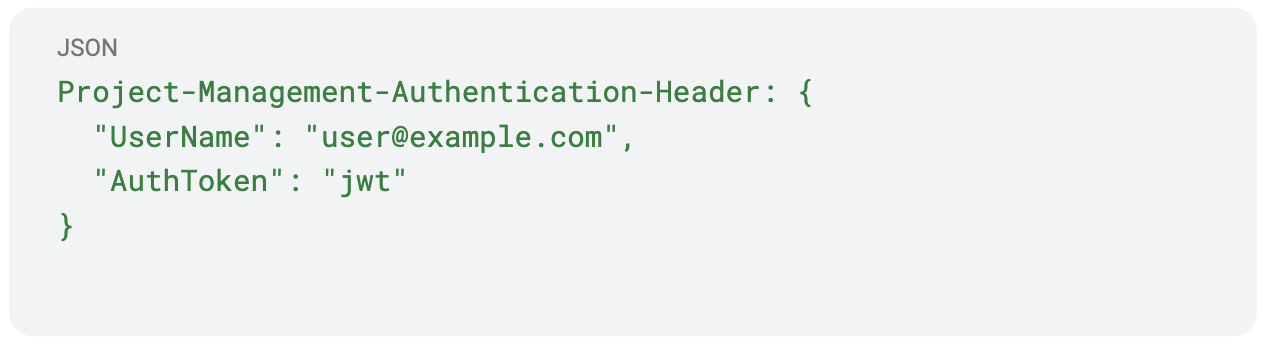
This was huge. Now I knew what the backend expected, and how I might manipulate it.
With this knowledge, I crafted a wordlist based on the application structure and discovered 5 more React-based interfaces. Each hosted under different paths, each backed by its own API, and all sharing the same fragile authentication design.
One example was /client.ui/, which had a paired API at:
/client.api/api/Reports/GetSiteMasterReport
When accessed unauthenticated, the endpoint responded with a generic 500:
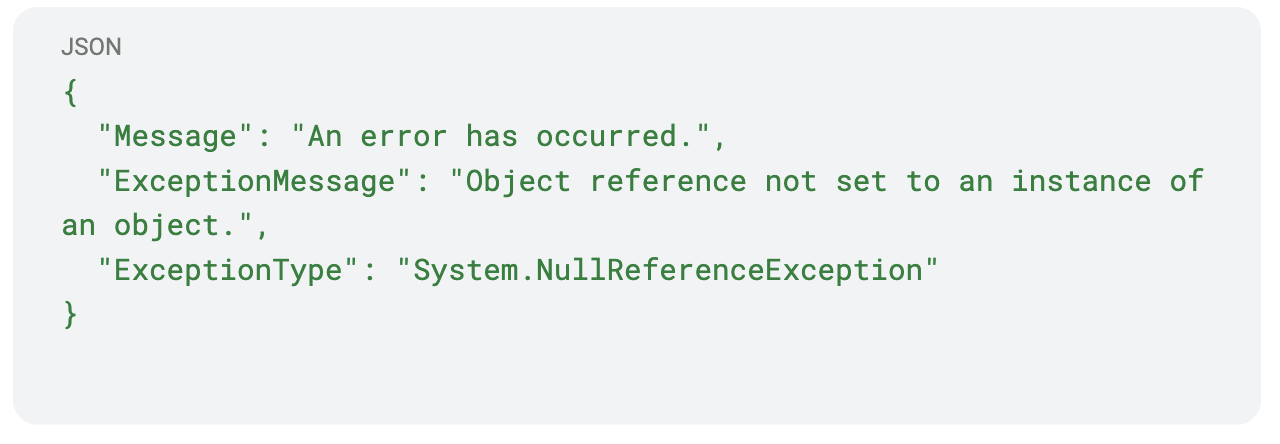
That kind of error hinted at an Access Control Policy Violation (ACPV) — a protected function that expected a user context but was missing one.
This suggested that something was missing in the request, so I used param-miner to fuzz headers and parameters. When I added a login=anything parameter, the response changed to:
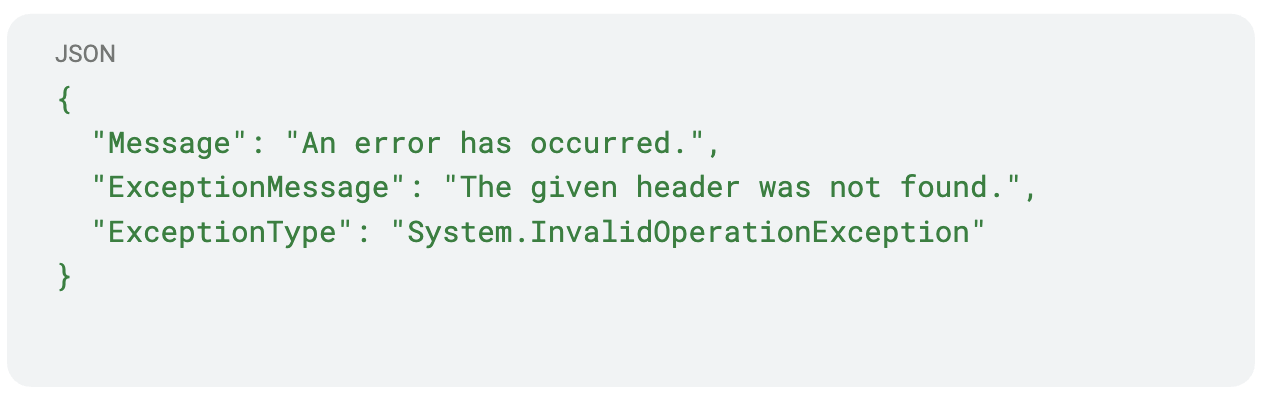
Header not found? I had just learned what header it might be expecting.
So I sent the request again with:
Project-Management-Authentication-Header: {}
And… it worked. The server accepted the empty header and responded with valid data — fully bypassing authentication.
Auth Bypass #2: Weak JWT Signature Verification
Forging Tokens with None Algorithm or Wrong Keys
One such case was the /clientWO/ portal. Its corresponding API endpoint at:
/clientWOapi/getfilenames
appeared to require valid authentication — but this time, the bypass wasn’t about omitting fields or headers. It was about weak JWT validation logic.
The API expected the following custom header:
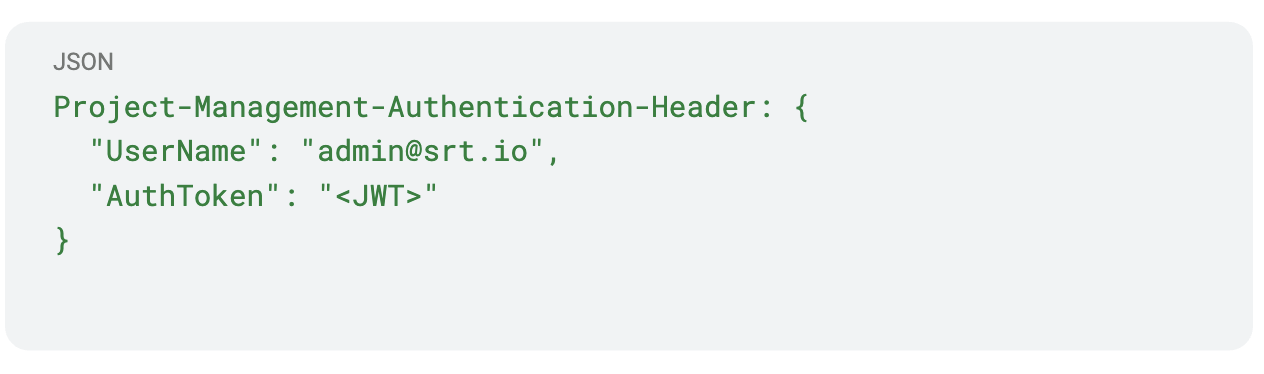
When I submitted this request using a custom-signed JWT (e.g., with an invalid signature, or using none algorithm), I noticed something strange: It worked — as long as the UserName field in the header matched the username field in the JWT payload.
No key checks, no HMAC verification, no nothing.
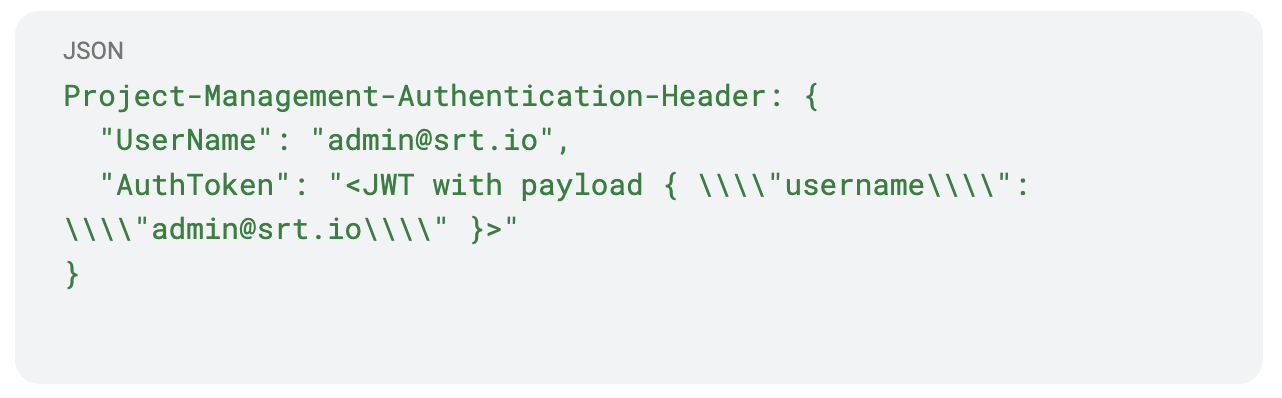
✅ Auth bypass successful.
Auth Bypass #3: JWT Signature Oracle Vulnerability
Server Leaks the Expected HMAC Signature in Error Messages
The app hosted at /clientPortal/ had MFA support. After logging in, requests went to:
/commonservice.api/api/getotp
It required the Project-Management-Authentication-Header. I provided:
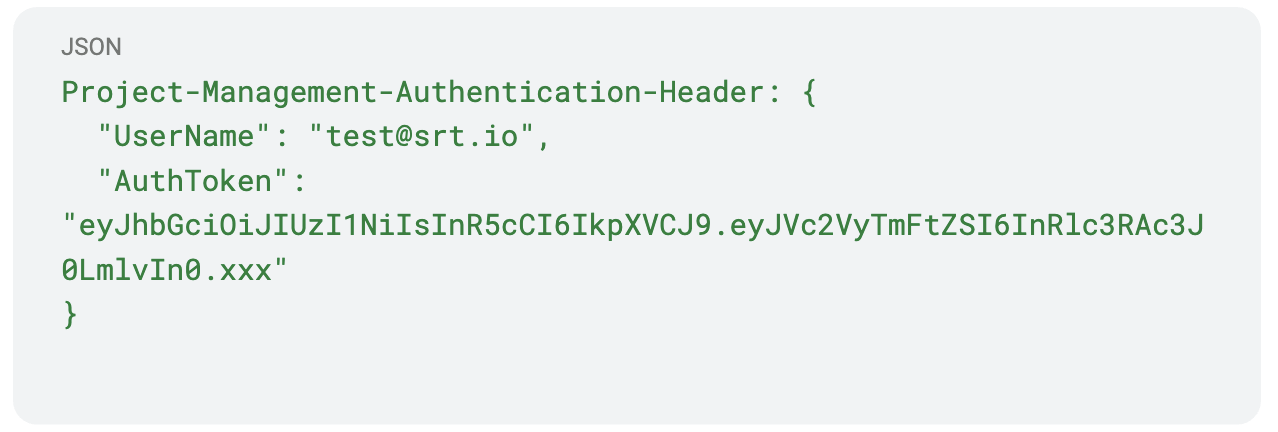
The server responded:
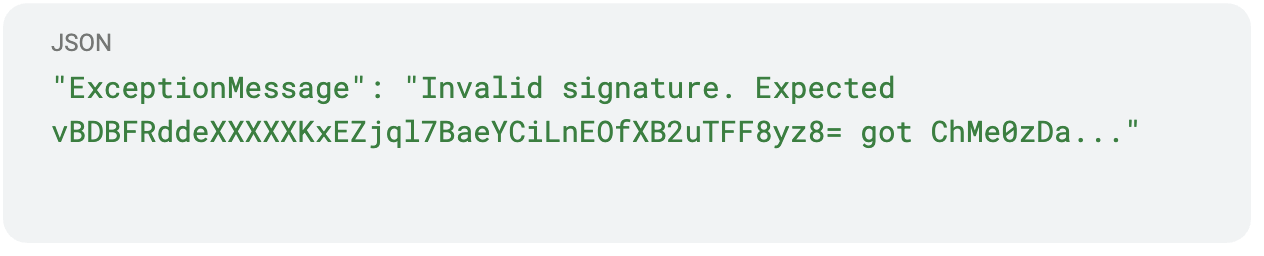
So I used the server’s expected signature from the error message to manually forge the JWT:

Using this token, I successfully accessed /GetWorkordersProgress. A fully working JWT signature oracle.
This was essentially a JWT signature oracle vulnerability — by sending a bad token, the server helped me construct a good one.
Auth Bypass #4: Crafted Header Exploit via React Native Bundle
Unbundling JavaScript to Construct Working Auth Headers
I searched for the client’s name on archive APK repositories and found an old app: com.client.surveylite. This app was built using React Native — which meant I could take a different approach.
I attended a session at the Bsides Ahmedabad 2024 — “From Client Side To Critical” by Kuldeep Pandya and Satyam Gothi — which taught me how to unbundle and analyze React Native code. I extracted and unbundled the index.android.bundle file and found a new endpoint:
clientscan.api/API/Common/login
The frontend used:
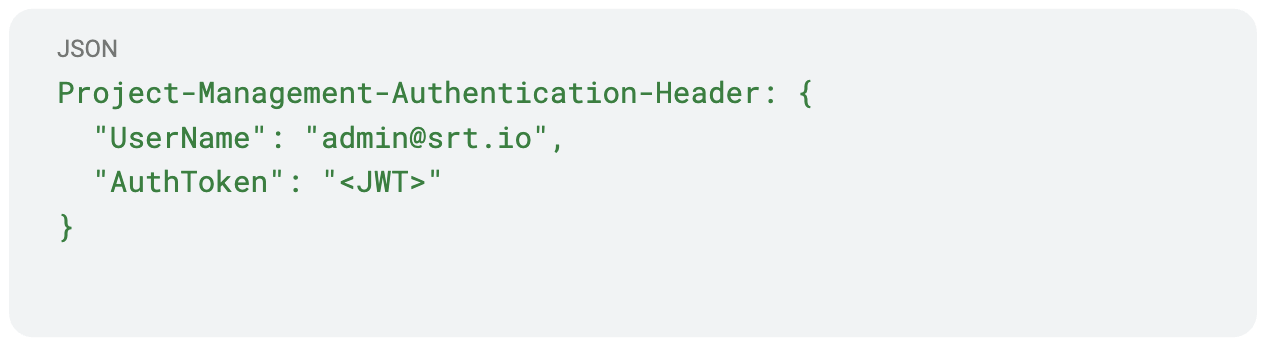
I sent that header — no password:
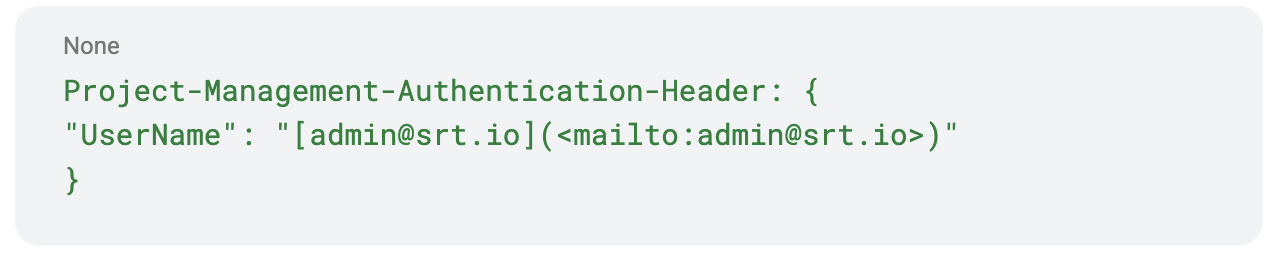
and the server responded:
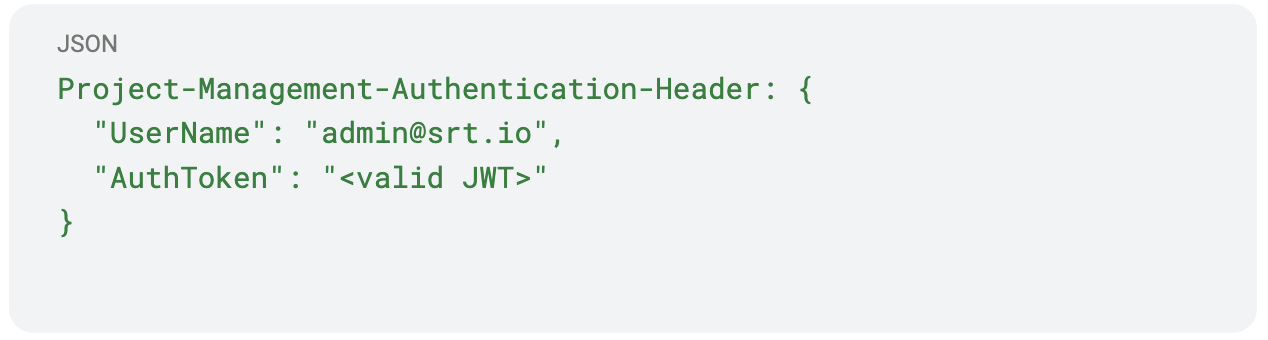
✅ Another auth bypass. No creds required.
This endpoint didn’t validate credentials at all — just took the header and returned a valid token for the specified user.
Leaked JWTs Inside Native Libraries
Extracting Tokens from libapp.so Using Strings and Grep
Returning to the original Flutter APK, I decided to explore libapp.so — the native binary.
I used the following commands:
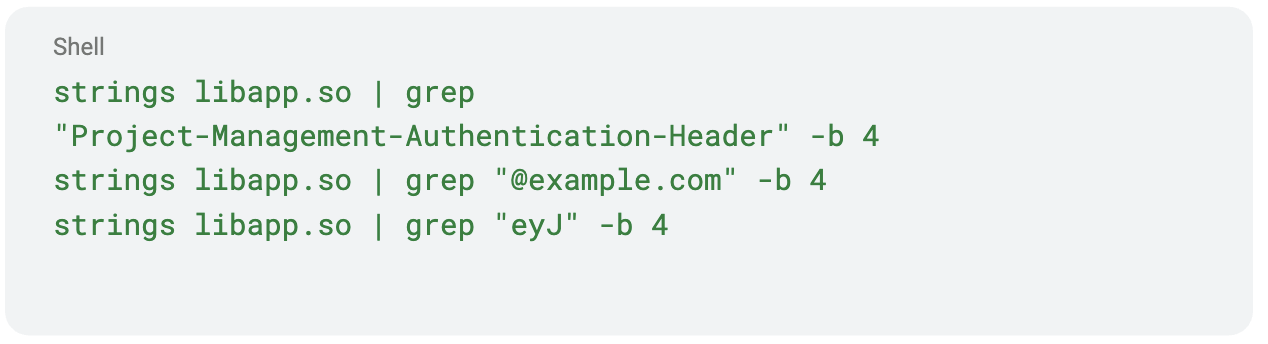
To my surprise, I discovered multiple hardcoded JWT tokens and emails, still valid and usable in requests. This was a massive oversight by the developers — leaking live secrets inside a compiled binary.
This entire journey started with a Facebook post and ended with multiple full auth bypasses, a signature oracle, and leaked tokens. All chained together using classic bug hunting techniques: OSINT, endpoint guessing, reverse engineering, and a lot of curiosity.
Key Takeaways
- OSINT is critical: A single Facebook post led to APKs, endpoints, and full access.
- Old apps = goldmines: Deprecated mobile apps often reuse prod infra with weak validation.
- Custom headers ≠ secure auth: Many endpoints accepted headers without validation.
- JWT ≠ secure by default: When not validated properly, JWTs become a formality, not a control.
- Frontend = documentation: React and React Native apps reveal how backends work.
- Unverified JWTs and signature oracle errors are still surprisingly common.
Thanks for reading. Be sure to follow Synack and the Synack Red Team on LinkedIn for later additions to this series.
What would 1,500
elite hackers find in
your stack?
The Synack Red Team and Sara AI Pentesting work side by side to test your environment and find vulnerabilities that matter.